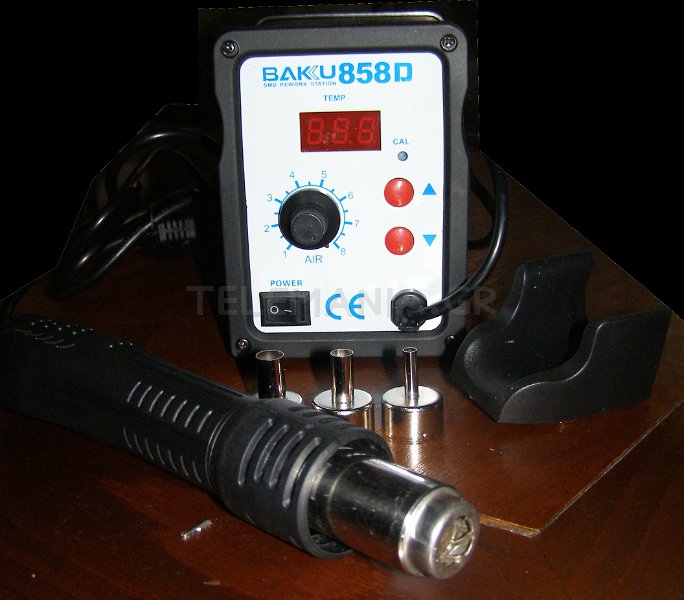
Σταθμός αποκόλλησης Θερμού Αέρα - Hot Air Rework Soldering Station
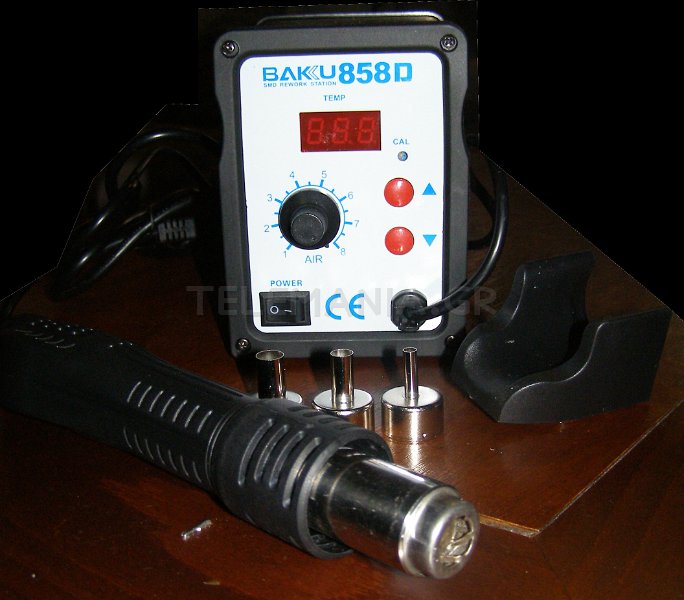
Baku 858D (220V Version), has exquisite dimensions and many excellent features. Airflow is strong and mild but with low noise. Temperature is very easy and convenient to adjust through the knobs. Very energy-saving .The hot gun has PIR sensor. Once it's hold, 858D will go to work mode soon. And once hand off, it will go back to rest mode. Ideal for safe demolition solder QFP, PLCC, SOP, BGA and other chips and components which are temperature-sensitive.
- High Efficient, Space Saving and Extremely Low Noise, Enhanced Temperature Stability
- Comfortable Portable Handheld Hot Air Gun,Build-in Microcomputer Control, Warning-Up Quickly
- Digital L.E.D Screen for Hot Air Gun Precision Temperature Displays
- Alloy Metal Body with High Quality Silicone Shell for Extended Life and Power Saving
- Attention: Works under 220V Voltage, comes with 3 types of nozzles
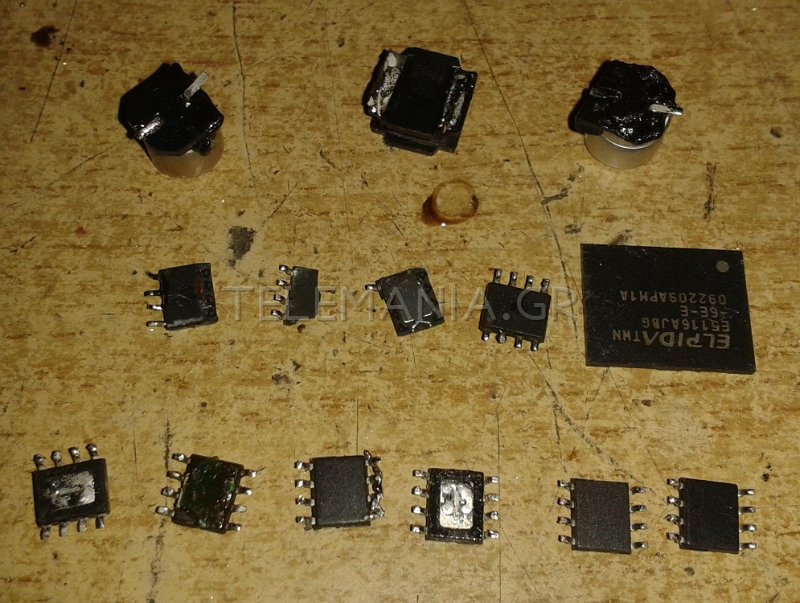
Όπως θα δείτε και στην τελευταία φωτογραφία, είναι πολύ εύκολο να καταστρέψετε τα εξαρτήματα επιφανείας, θα πρέπει να είστε πολύ ακριβείς και γρήγοροι.
Το φυσερό αυτό είναι μάλλον οριακά αποτελεσματικό σε απαιτητικές εργασίες (sic).
Σαν επίπεδο θορύβου, μπορούμε να πούμε οτι κάνει αισθητή την παρουσία του στο χώρο, όχι όμως ενοχλητικά.
Φωτό:

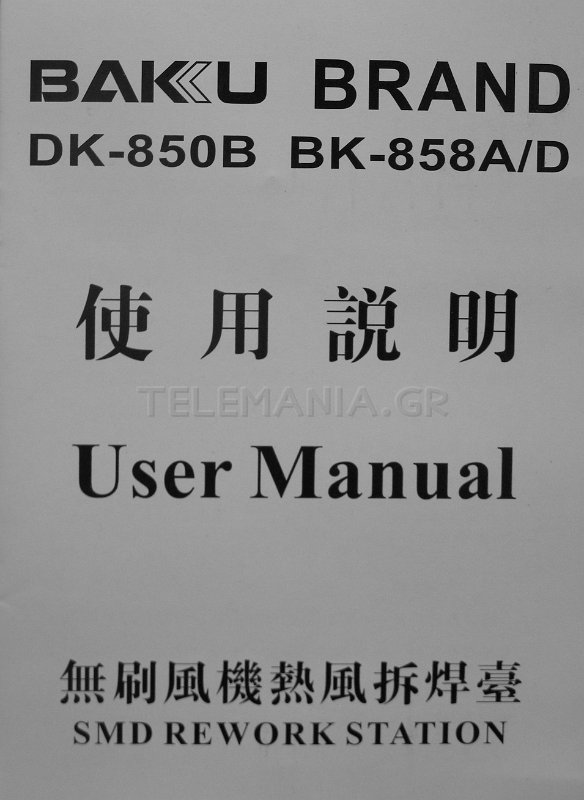
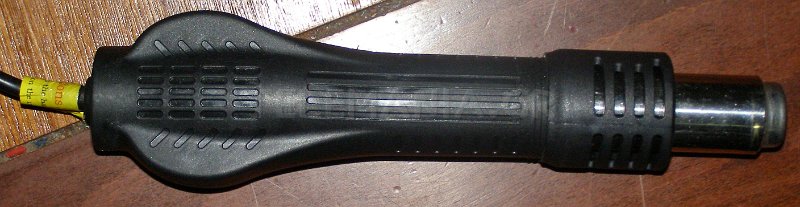
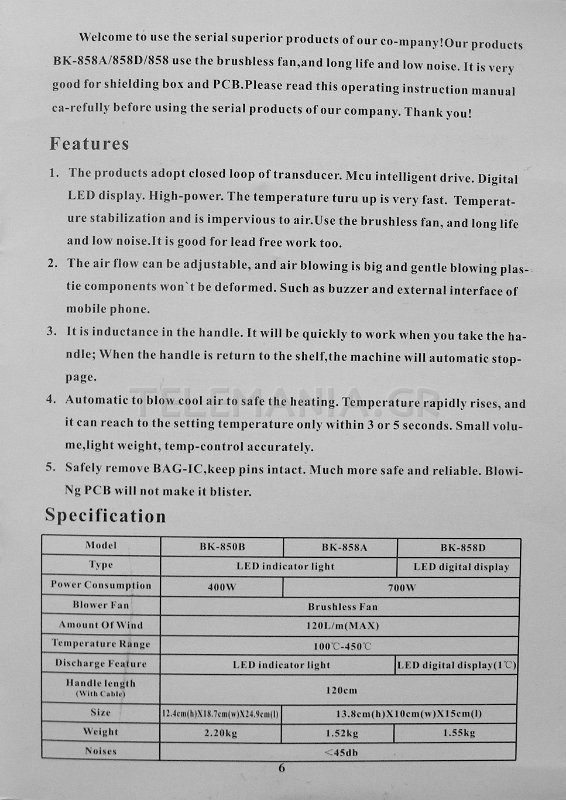
Αυτό είναι το Εγχειρίδιο Χρήστη (User Manual), όπως το έλαβα:
DK-850B BK-858A/D

SMD REWORK STATION

Welcome to use the serial superior products of our company! Our products BK-858A/858D/858 use the brushless fan, and long life and low noise. It is very good for shielding box and PCB. Please read this operating instruction manual ca-refully before using the serial products of our company. Thank you!
Features
1. The products adopt closed loop of transducer. Mcu intelligent drive. Digital LED display. High-power. The temperature turu up is very fast. Temperature stabilization and is impervious to air.Use the brushless fan, and long life and low noise. It is good for lead free work too.
2. The air flow can be adjustable, and air blowing is big and gentle blowing plas-tie components won't be deformed. Such as buzzer and external interface of mobile phone.
3. It is inductance in the handle. It will be quickly to work when you take the handle; When the handle is return to the shelf,the machine will automatic stoppage.
4. Automatic to blow cool air to safe the heating. Temperature rapidly rises, and it can reach to the setting temperature only within 3 or 5 seconds. Small volume, light weight, temp-control accurately.
5. Safely remove BAG-IC,keep pins intact. Much more safe and reliable. Blowing PCB will not make it blister.
Specification
|
Model |
BK-850B |
BK-8S8A |
BK-858D |
|
Type |
LED indicator light |
LED digital display |
|
|
Power Consumption |
400W |
700W |
|
|
Blower Fan |
Brushless Fan |
||
|
Amount Of Wind |
120L/m (MAX) |
||
|
Temperature Range |
100'C-450'C |
||
|
Discharge Feaure |
LED indicator light |
LED digital display(l'C) |
|
|
Handle length (Willi Cubic) |
120cm |
||
|
Size |
1,4cm(h)X18.7cm(w)X24.9cm(l) |
13.8cm(h)X10cm(w)X 15cm(l) |
|
|
Weight |
2.20kg |
1.52kg |
1.55kg |
|
Noises |
<45db |
||
Usage
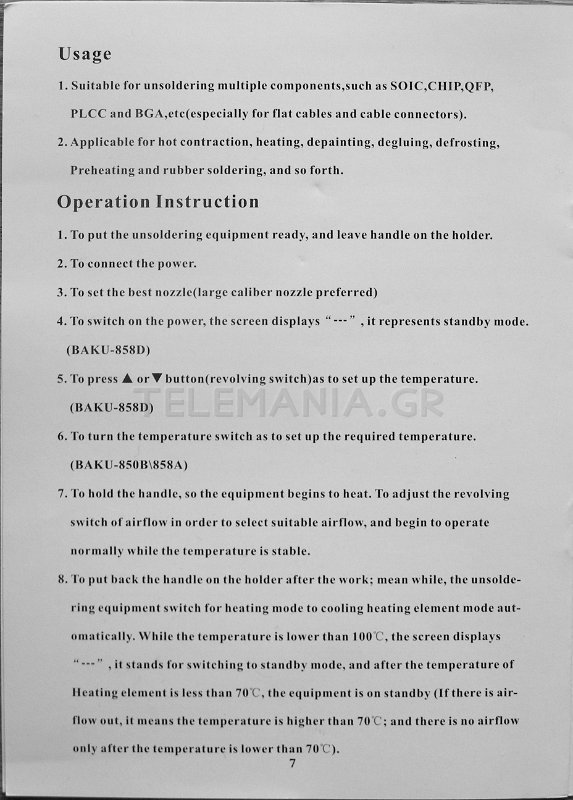
1. Suitable for unsoldering multiple components, such as SOIC,CHIP,QFP, PLCC and BGA,etc(especially for flat cables and cable connectors).
2. Applicable for hot contraction, heating, depainting, degluing, defrosting, Preheating and rubber soldering, and so forth.
Operation Instruction
1. To put the unsoldering equipment ready, and leave handle on the holder.
2. To connect the power.
3. To set the best nozz!e(Iarge caliber nozzle preferred)
4. To switch on the power, the screen displays "--- ", it represents standby mode.
(BAKU-858D)
5. To press UP or DOWN button (revolving switch)as to set up the temperature.
(BAKU-858D)
6. To turn the temperature switch as to set up the required temperature. (BAKU-850B\858A)
7. To hold the handle, so the equipment begins to heat. To adjust the revolving switch of airflow in order to select suitable airflow, and begin to operate normally while the temperature is stable.
8. To put back the handle on the holder after the work; mean while, the unsoldering equipment switch for heating mode to cooling heating element mode automatically. While the temperature is lower than 100°C, the screen displays "---", it stands for switching to standby mode, and after the temperature of Heating element is less than 70°C, the equipment is on standby (If there is airflow out, it means the temperature is higher than 70°C; and there is no airflow only after the temperature is lower than 70°C).
9. To switch off the power and unplug if there is no operation for a long period of time.
Cautions: Try to set up the temperature as lower as possible and the airflow as much as possible as to keep heating element working longer and protect IC chips.
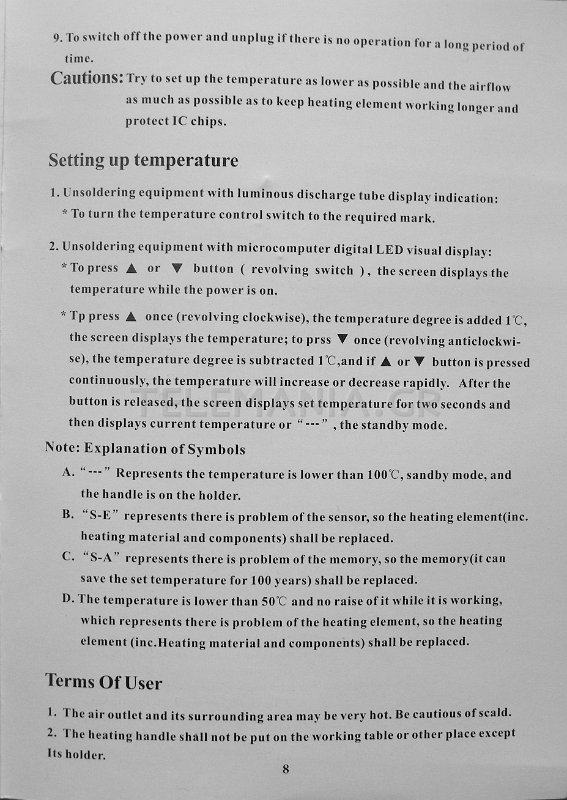
Setting up temperature
1. Unsoldering equipment with luminous discharge tube display indication:
* To turn the temperature control switch to the required mark.
2. Unsoldering equipment with microcomputer digital LED visual display:
* To press UP or DOWN button (revolving switch), the screen displays the temperature while the power is on.
* To press UP once (revolving clockwise), the temperature degree is added 1 °C, the screen displays the temperature; to press DOWN once (revolving anticlockwise), the temperature degree is subtracted 1 °C, and if UP or DOWN button is pressed continuously, the temperature will increase or decrease rapidly. After the button is released, the screen displays set temperature for two seconds and then displays current temperature or "---" , the standby mode.
Note: Explanation of Symbols
A. " --- " Represents the temperature is lower than 100°C, standby mode, and the handle is on the holder.
B. "S-E " represents there is problem of the sensor, so the heating element(inc. heating material and components) shall be replaced.
C. "S-A" represents there is problem of the memory, so the memory(it can save the set temperature for 100 years) shall be replaced.
D. The temperature is lower than 50°C and no raise of it while it is working, which represents there is problem of the heating element, so the heating element (inc. Heating material and components) shall be replaced.
Terms Of Use
1. The air outlet and its surrounding area may be very hot. Be cautious of scald.
2. The heating handle shall not be put on the working table or other place except Its holder.
3. To keep the air outlet unblocked.
4. To put the heating handle on its holder after the work, and keep it cool naturally to the standby mode, then switch off the power.
5. The distance between the air outlet and the object shall be no less than 2mm.
6. To choose suitable blast nozzle in accordance with working requirements. Different blast nozzles may have different temperature.
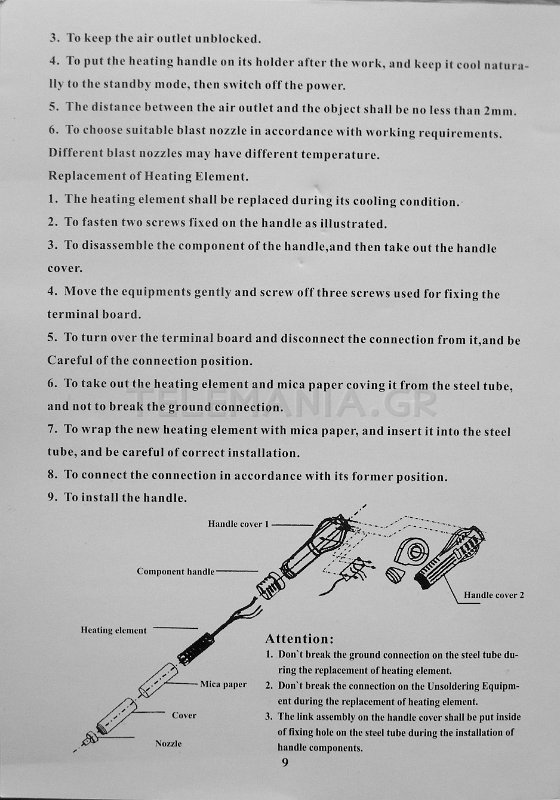
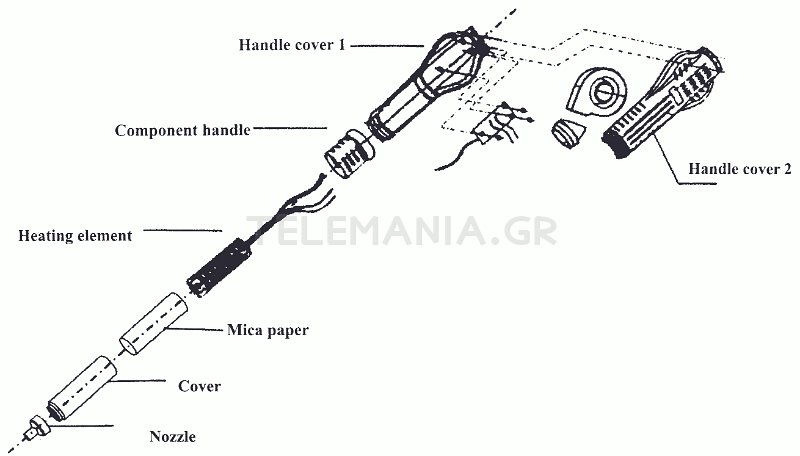
Replacement of Heating Element.
1. The heating element shall be replaced during its cooling condition.
2. To fasten two screws fixed on the handle as illustrated.
3. To disassemble the component of the handle,and then take out the handle cover.
4. Move the equipments gently and screw off three screws used for fixing the terminal board.
5. To turn over the terminal board and disconnect the connection from it, and be Careful of the connection position.
6. To take out the heating element and mica paper coving it from the steel tube, and not to break the ground connection.
7. To wrap the new heating element with mica paper, and insert it into the steel tube, and be careful of correct installation.
8. To connect the connection in accordance with its former position.
9. To install the handle.
Attention:
1. Don't break the ground connection on the steel tube during the replacement of heating element
2. Don't break the connection on the Unsoldering Equipment during the replacement of heating element.
3. The link assembly on the handle cover shall be put inside of fixing hole on the steel tube during the installation of handle components.